Right Angle OEM Manual

  • Welcome to RightAngle OEM Manual
  • General Parameters
    • Machine
    • Tools
    • Safety
    • CAN ports
    • PLC Options
    • Digital input configuration
    • Maintenance
    • Log
    • Diagnostics
    • Display
    • Digital Protractor
    • Barcode
    • Event log
  • Y-Axis Parameters
    • General
    • Mute
    • Feedback
    • Pressure Valve
    • Pressure Sensor
    • Idle
    • Fast Closing
    • Fast Closing Advanced
    • Pressing
    • Pressing Advanced
    • Decompression
    • Opening
    • Y-Axis Cold Condition Parameters
    • Crowning
    • Electric Press Brake
  • Axis Parameters
    • X Axis
    • Z Axis
    • Hand Wheel
    • FL1
  • Defaults
    • Bend Cycle
    • Bend program
    • Import/Export
    • Others
General Parameters
/
Diagnostics

Diagnostics

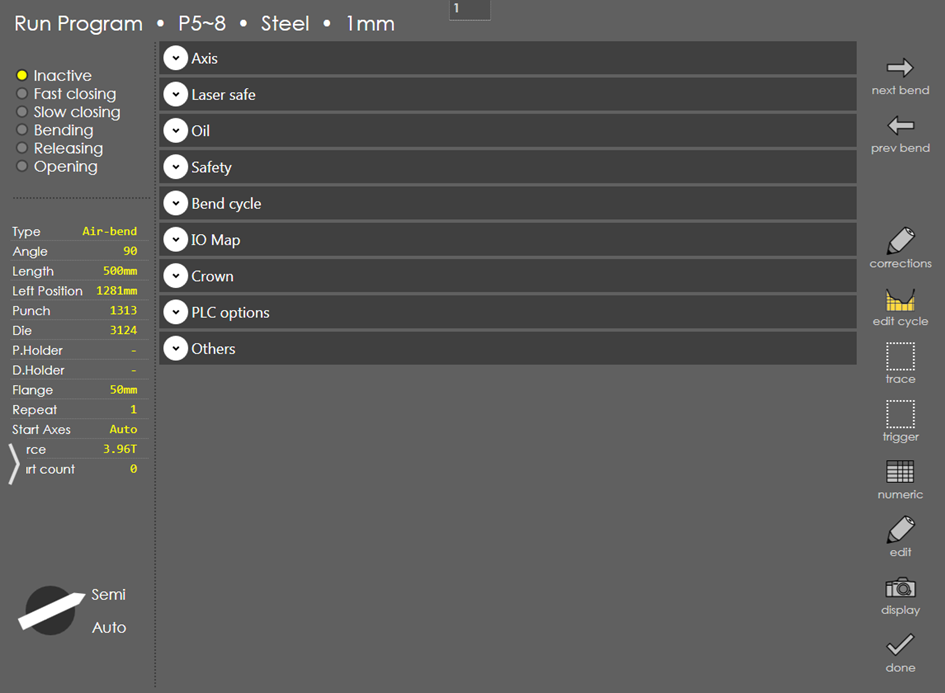
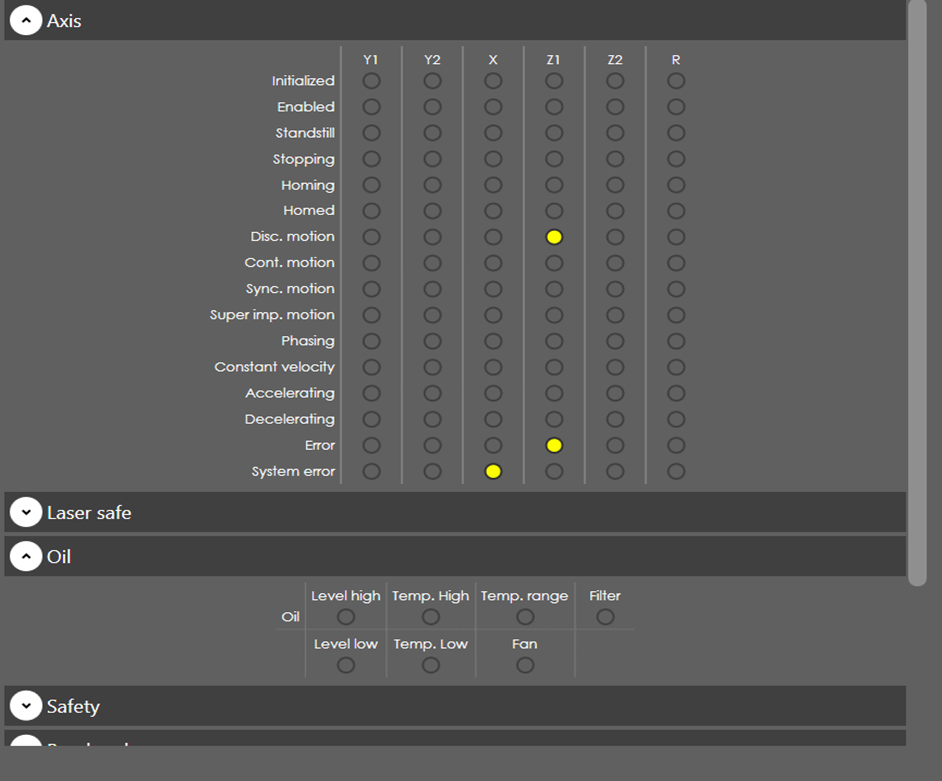
For easier debugging IO signal status can be enabled in RA in diagnostic page.

General - Diagnostics

General

Show IO in run screen

Range

Checked / Unchecked

Default

Unchecked

Units

Access

Service

Function

This parameter enables IO status display in run screen.
ShowIO

Description

IO status can be viewed in run screen as well as by clicking 'Show IO' button in Diagnostic page in machine parameter page. In run page, instead of displaying information about part, IO status is displayed. To see IO status in run page, following condition must be satisfied:

  1. User level should be Service

  2. Service row should be on (General → Machine → Service row)

  3. 'Show IO in ram screen' should be checked in General → Diagnostic
ShowIO1

Contents

  • General
  • Show IO in run screen
Log Display

      Copyright © 2023 by Metamation. All rights reserved.

    Compiled by Bento