
PLC Options
Options
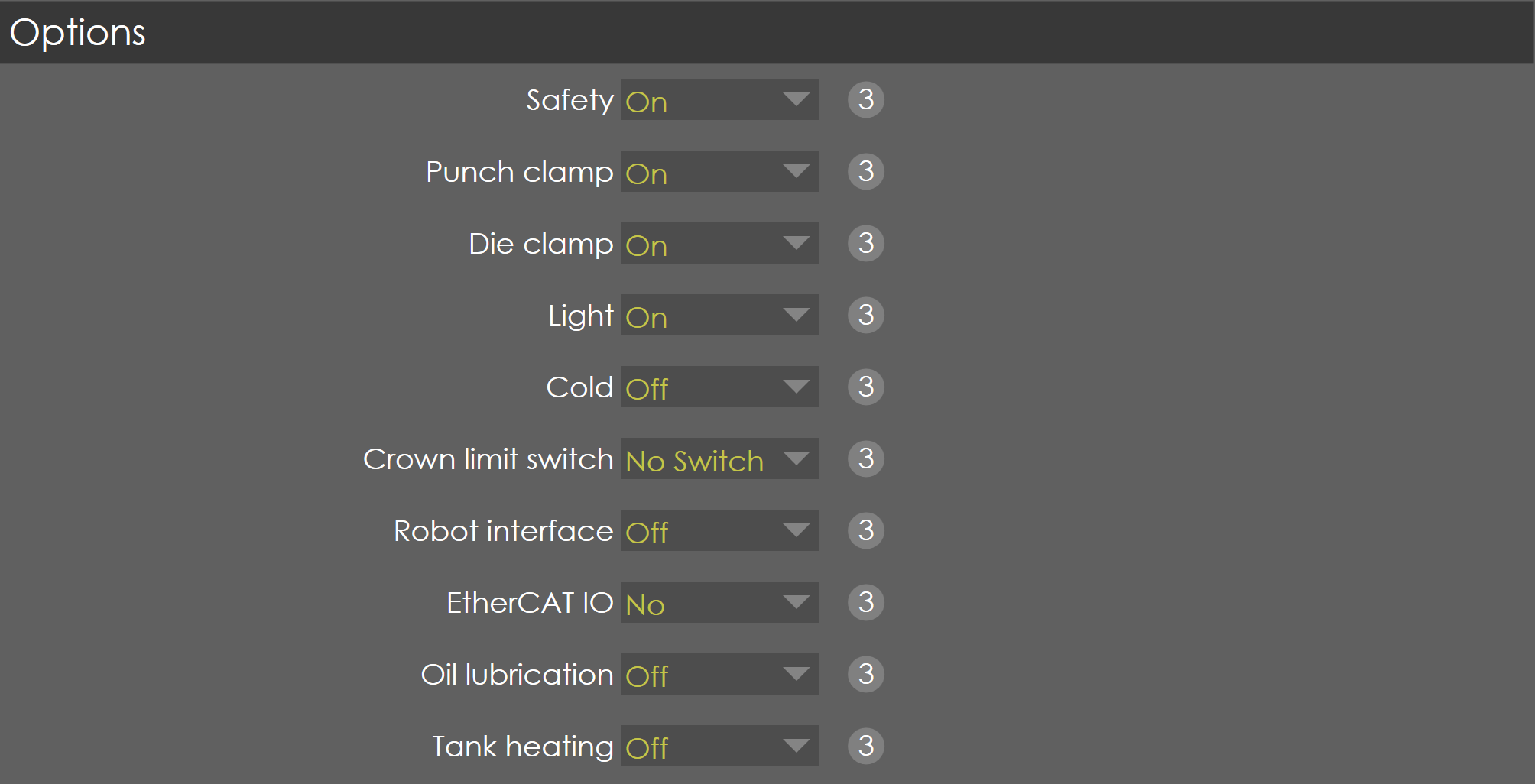
Safety
Range |
ON/OFF |
Default |
OFF |
Units |
|
Access |
Service |
Function
This parameter activates/deactivates the laser safe functionality in the PLC.
Description
When this parameter is ON, the laser safe functions are activated in the PLC, such as Enable functions, Side door functions etc.., If this parameter is OFF, then the 'Side Door' options will be available for selection.
Side doors
Range |
1 input / 2 inputs |
Default |
1 input |
Units |
|
Access |
Service |
Function
This parameter defines the number of digital inputs used for the configuration of side doors.
Description
This parameter is available only if the safety option is OFF. If the left and right-side doors are configured in 2 digital inputs then '2 inputs' selected, else if the left and right doors are combined in hardware circuit and mapped to 1 digital input, then '1 input' is selected.
Punch clamp
Range |
ON/OFF |
Default |
OFF |
Units |
|
Access |
Service |
Function
This parameter activates/deactivates the punch clamp functionality in PLC.
Description
When this parameter is ON, the soft key 'Clamp/Unclamp Punch' is available in the options soft key page. If this parameter is OFF, the soft key will disappear and the functionality in the PLC is also deactivated.
Die clamp
Range |
ON/OFF |
Default |
OFF |
Units |
|
Access |
Service |
Function
This parameter activates/deactivates the die clamp functionality in PLC.
Description
When this parameter is ON, the soft key 'Clamp/Unclamp Die' is available in the options soft key page. If this parameter is OFF, the soft key will disappear and the functionality in the PLC is also deactivated.
Light
Range |
ON/OFF |
Default |
OFF |
Units |
|
Access |
Service |
Function
This parameter activates/deactivates the Light functionality in PLC.
Description
When this parameter is ON, the soft key 'Light On/Off' is available in the options soft key page. If this parameter is OFF, the soft key will disappear and the functionality in the PLC is also deactivated.
Cold
Range |
ON/OFF |
Default |
OFF |
Units |
|
Access |
Service |
Function
This parameter activates/deactivates the cold condition functionality in PLC.
Description
When this parameter is ON, the soft key 'Cold On/Off' is available in the options soft key page. If this parameter is OFF, the soft key will disappear and the functionality in the PLC is also deactivated.
When the Cold soft key is switched ON, the cold condition parameter of the Y-axis is activated. Also, if the temperature is below the normal working condition then this function is activated automatically and keeps the soft key always high.
Crown limit switch
Range |
NO SWITCH / ONE SWITCH / TWO SWITCH |
Default |
NO SWITCH |
Units |
|
Access |
Service |
Function
Used to configure the number of crown limit switch.
Description
Crowning device can be fitted with limit switches. This option is used to configure the limit switches.
Robot interface
Range |
ON / OFF |
Default |
OFF |
Units |
|
Access |
Service |
Function
Used to enable robot interface feature. Only if robot interface is ON, robot input configurations will be available in General → Digital input config.
Description
| Robot interface can be set to ON only if robot interface feature is enabled in the license. |
Ethernet CAT IO
Range |
ON / Yes |
Default |
No |
Units |
|
Access |
Service |
Function
Description
Oil lubrication
Range |
On / Off |
Default |
Off |
Units |
|
Access |
Service |