
Welcome to RightAngle OEM Manual
The RightAngle OEM (Original Equipment Manufacturer) manual provides instructions on how to configure the machine settings for optimal performance of the press brake[1].
This guide is intended for users who are responsible for setting up and maintaining the press brake which uses RightAngle software.
When changing machine settings, it is crucial to follow safety protocols to prevent accidents and ensure the safe operation of the press brake. Always refer to the machine’s safety guidelines and wear appropriate personal protective equipment (PPE).
Before making any changes to the machine settings, it is essential to have a thorough understanding of the machine’s operation and the implications of those changes.
User level access
When changing machine settings, it is important to have the appropriate user level access. The RightAngle software provides three levels of user access: standard, administrator, and service.
Each machine setting parameter is associated with a number that corresponds to the required user level.
| User Level | Access Code | Description |
|---|---|---|
Standard |
None |
Basic access to change fundamental machine parameters. |
Administrator |
|
Access to change advanced machine parameters. |
Service |
|
Full access to change all machine parameters. |


To change user level access, navigate to Other settings → Machine settings → Change access.
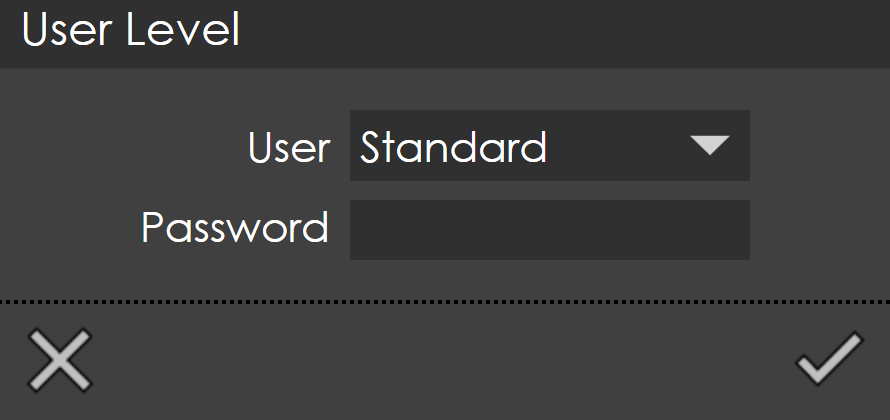
Select the desired user level and enter the corresponding password.