
Pressure Valve
General
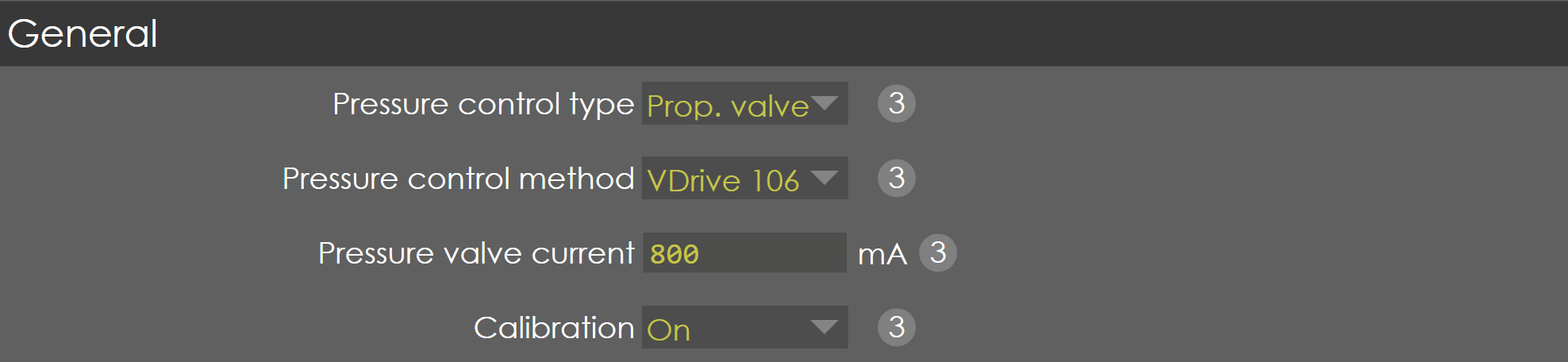
Pressure control type
Range |
Prop. valve / Servo motor |
Default |
Prop. valve |
Units |
|
Access |
Administrator |
Function
This parameter defines the method of pressure control for hydraulic pump used in the machine.
Description
With the help of this parameter, user can select whether pressure from hydraulic pump is controlled by using proportional solenoids or servo motor.
Pressure control method
Range |
VDrive 106 / External |
Default |
VDrive 106 |
Units |
|
Access |
Administrator |
Function
This parameter defines the method of controlling proportional valves used in the machine.
Description
With the help of this parameter, user can select whether VDrive 106 or an external amplifier is used for controlling proportional valves for pressure control.
| This parameter is available only when Prop. Valve is selected in Pressure control type parameter. |
Pressure valve current
Range |
0-3000 |
Default |
700 |
Units |
mA |
Access |
Administrator |
Function
This parameter defines the maximum current of system pressure valve used in the machine.
Description
With the help of this parameter, the full range of system pressure control analog output is utilized. Thereby the resolution of the system command pressure is increased. Hence it is possible to control the system pressure at very minimum.
| This option is only available when VDrive 106 is selected in Pressure control method. |
Calibration
Range |
ON/OFF |
Default |
ON |
Units |
NA |
Access |
Administrator |
Function
This parameter enables/disables the calibration of system pressure valve.
Description
This parameter must be ON if you want to calibrate proportional pressure valve control. The calibration of the pressure valve is done by defining the relation between the controller voltage command (Range: 0 to 10V) and the pressure (bar) which is programmed in a table.
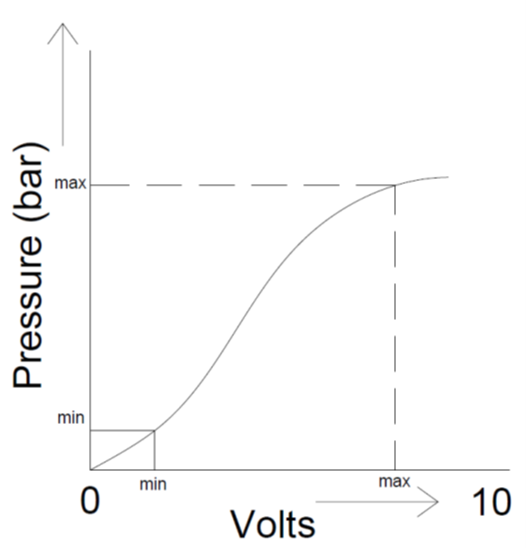
The relation between the pressure and voltage can be entered in a table by pressing the calibrate softkey available in the page.
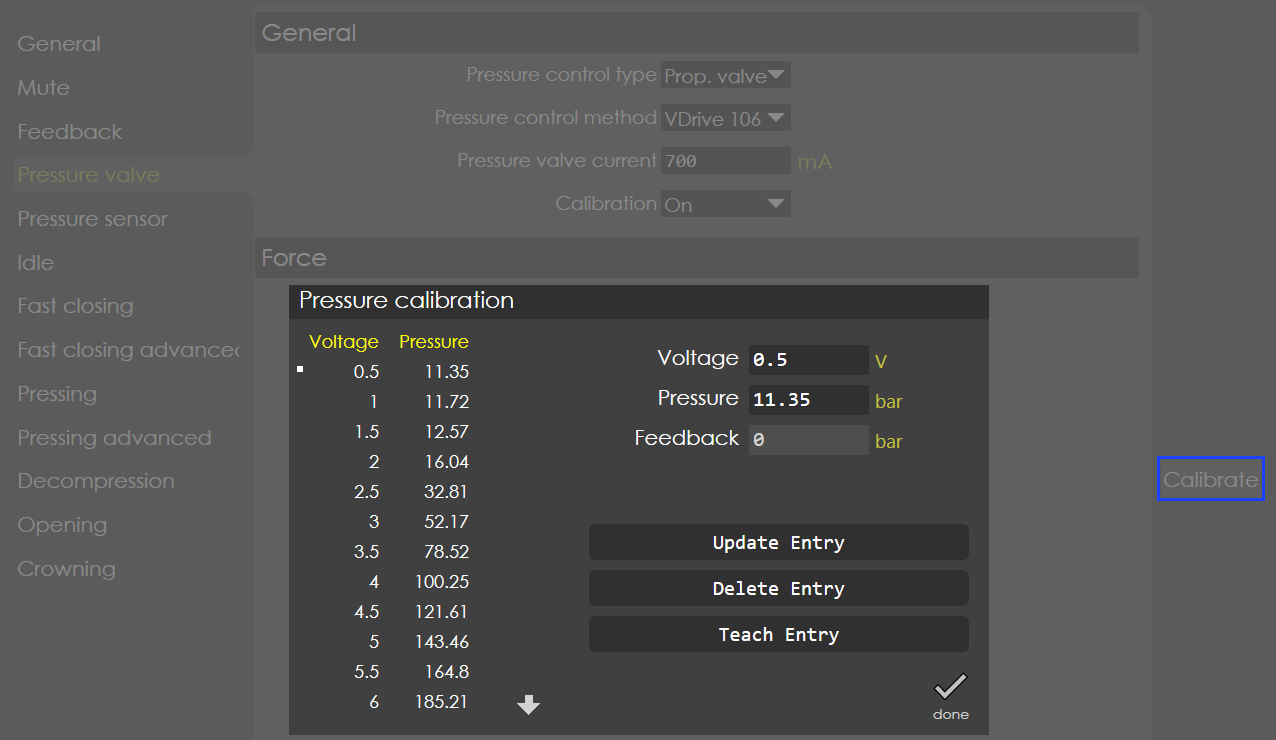
Calibration Procedure (Only available in access level service)
Set the calibration parameter to ON and save it (Close machine settings then save).
| Pressure calibration ON option will be available only when crowning Calibration is set to OFF in Y-Axis Parameters > Crowning > General. |
-
Again, go to the same page, you can find the softkey "Calibrate".
-
Press the calibrate button, a new page called “Pressure calibration” will appear on the screen.
-
Default voltage calibration step is 0.5 V and total number of points is 20. The calibration step, no. of points can be changed using the soft key “Delete Entry”, “Add Entry”.
-
The display “Voltage”, “Pressure”, “Servo speed” (if pressure control type is set to servo) and “Feedback” shows the active voltage command, actual pressure value and captured pressure value respectively.
When the Pump servo control is used, during calibration (crowning and system pressure) the speed of the pump needs to be maintained constant and it depends on the type of the machine and the pump. So, servo speed is displayed in the calibration page of the system pressure valve and in crowning if it is hydraulic. -
The controller accepts the active voltage command only after pressing the foot pedal open switch, to ensure the safety.
-
For the given Voltage, the actual Pressure values can be captured by pressing the soft key “Teach Entry” which updates the “Feedback” display.
-
Now, compare the captured feedback and actual pressure value, if it is OK then press the soft key “Update Entry”, it will update the table with respective display values of voltage and pressure.
-
Also, it is possible to enter the values manually.
Force

Minimum pressure
Range |
0-99 |
Default |
28 |
Units |
Bar |
Access |
Administrator |
Function
This parameter defines the minimum working pressure required to move RAM in downward direction.
Description
Generally, this pressure refers to the counterbalance pressure with which the RAM is held firmly without moving down in idle condition. Hence, in order to move the RAM down, this is the minimum pressure required. During the pressing phase, if the computed pressure is less than this parameter, it is limited to this value.
Maximum force
Range |
0-99999 |
Default |
1000 |
Units |
KN |
Access |
Administrator |
Function
This parameter defines the maximum tonnage of press brake.
Description
If the computed force is greater than force max, then the control command will be limited to this value.
| It is important that the maximum pressure entered in the pressure calibration table corresponds to this maximum force. |
Pump
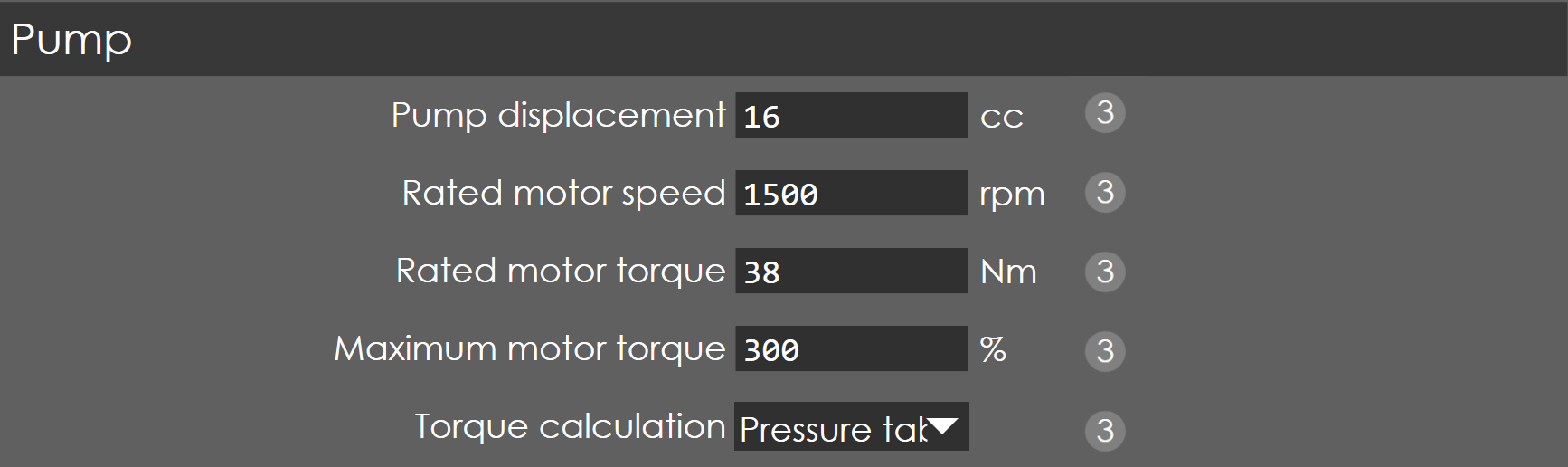
When Pressure control type is selected as Servo motor, then the following parameters are available to be configure:
Pump displacement
Range |
1-100 |
Default |
16 |
Units |
cc |
Access |
Administrator |
Function
This parameter defines the displacement of the pump.
Description
This parameter defines volume of fluid pumped out per revolution; it is measured in cubic centimeter (cc).
Rated motor speed
Range |
10-10000 |
Default |
1500 |
Units |
rpm |
Access |
Administrator |
Function
This parameter defines the servo motor’s rated speed.
Description
This is controlled by analog output (0-10V), where 10V corresponds to this set value.
Maximum motor torque
Range |
1-500 |
Default |
300 |
Units |
percentage |
Access |
Administrator |
Function
This parameter defines the maximum torque of the servo motor.
Description
This parameter is expressed as percentage of rated torque. If this parameter is set to 300, the maximum motor torque will be three times the rated torque. It is controlled using analog output (0-10V), where 10V corresponds to maximum motor torque.
Torque Calculation
Range |
Pressure table |
Default |
Servo linear / Pressure table |
Units |
NA |
Access |
Administrator |
Function
This parameter defines the maximum torque of the servo motor.
Description
This parameter is used to select the torque calculation method used to control the system pressure.
If pressure table is selected then calibration parameter will be available in Y axis Parameter → Pressure valve → General.
If calibration is ON pressure table option is available.
Calibration option is not available once Servo linear is selected. The torque is computed theoretically according to required pressure.
Pump Speed Programmable
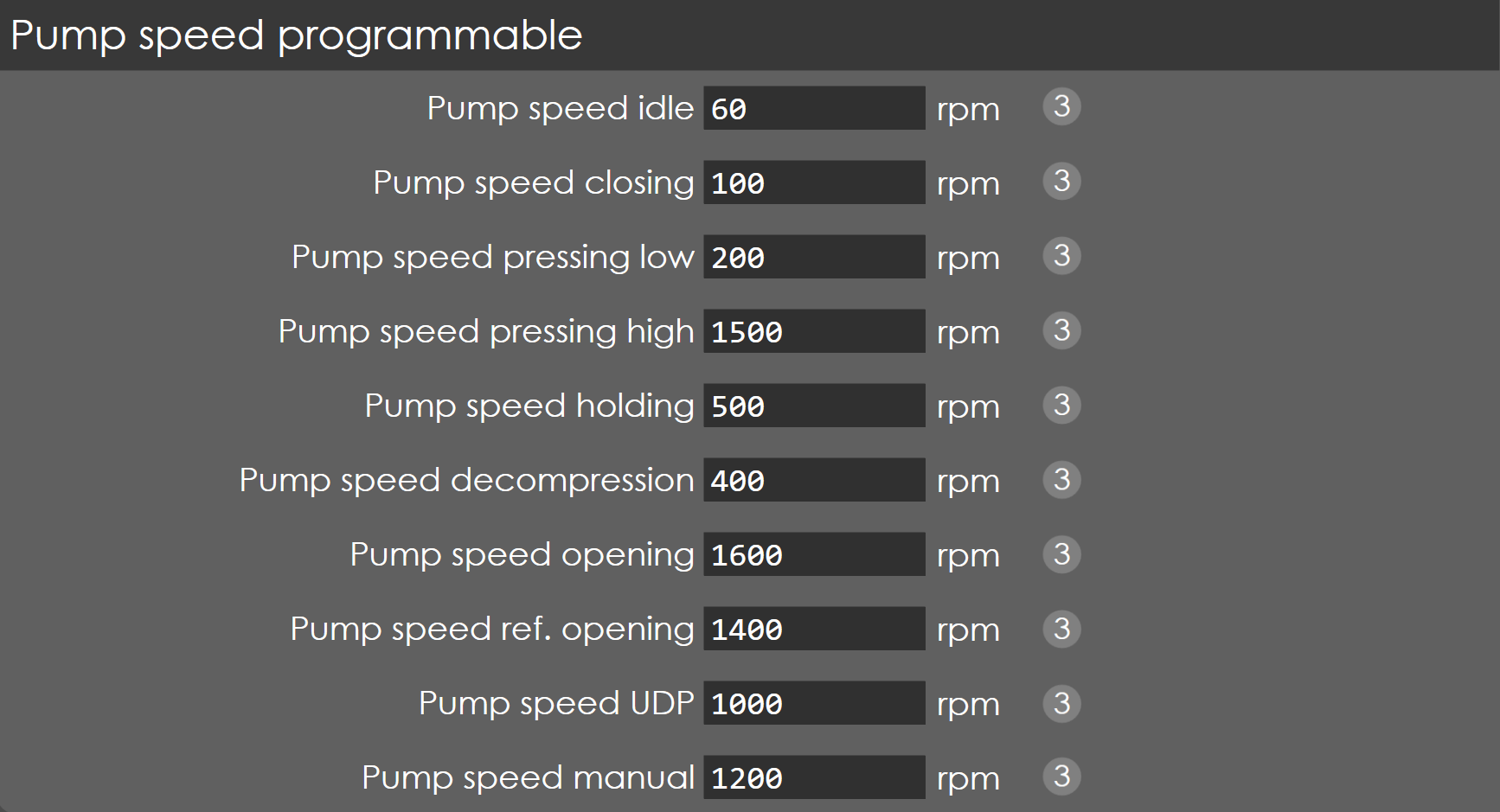
Pump speed idle
Range |
0 - 3000 |
Default |
60 |
Units |
RPM |
Access |
Administrator |
Function
This parameter defines the RPM while the servo pump is idle.
Description
NA
Pump Speed closing
Range |
0 - 3000 |
Default |
1000 |
Units |
RPM |
Access |
Administrator |
Function
This parameter defines the servo RPM while closing.
Description
NA
Pump Speed Pressing High
Range |
0 - 3000 |
Default |
1500 |
Units |
RPM |
Access |
Administrator |
Function
This parameter defines the servo RPM while pressing.
Description
NA
Pump Speed Holding
Range |
0 - 3000 |
Default |
500 |
Units |
RPM |
Access |
Administrator |
Function
This parameter defines the servo RPM while holding.
Description
NA
Pump Speed Decompression
Range |
0 - 3000 |
Default |
400 |
Units |
RPM |
Access |
Administrator |
Function
This parameter defines the servo RPM while decompression.
Description
NA
Pump Speed Opening
Range |
0 - 3000 |
Default |
1600 |
Units |
RPM |
Access |
Administrator |
Function
This parameter defines the servo RPM while opening.
Description
NA
Pump Speed Ref Opening
Range |
0 - 3000 |
Default |
1400 |
Units |
RPM |
Access |
Administrator |
Function
This parameter defines the servo RPM while referencing.
Description
NA
Pump Speed UDP
Range |
0 - 3000 |
Default |
1000 |
Units |
RPM |
Access |
Administrator |
Function
This parameter defines the servo RPM while moving to UDP.
Description
NA
Pump Speed Manual
Range |
0 - 3000 |
Default |
1200 |
Units |
RPM |
Access |
Administrator |
Function
This parameter defines the servo RPM while moving manually in jog mode.
Description
NA