
Digital input configuration
Description
These parameters define the digital input configuration of connected inputs to PLC logic. The internal function of PLC is coded with the following digital inputs and hence it is necessary to select the type of contact used in the machine. Even, if any input is not used then it is better to select as NC type to avoid unnecessary messages in the screen.
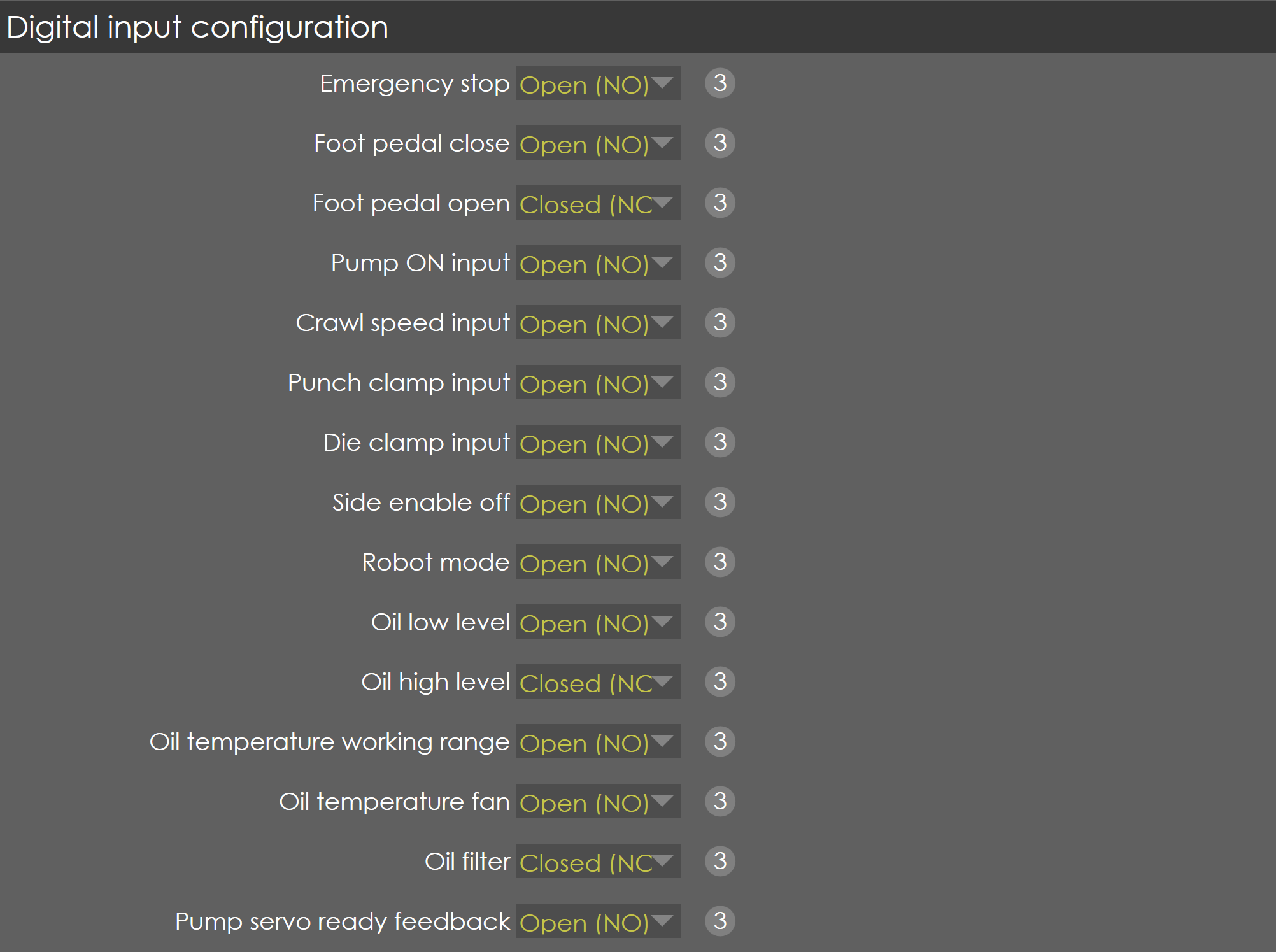
Emergency stop
Range |
Open(NO) , Control by safety |
Default |
Open(NO) |
Units |
|
Access |
Service |
Function
This parameter defines the contact type of emergency stop connected to digital input of PLC.
Description
If NO contacts are connected to digital inputs of PLC 'Open (NO)' has to be selected. If the emergency stop signal is from the safety controller then 'Control by safety' has to be selected.
Foot pedal close
Range |
Open & Closed (NO&NC), Open(NO), Closed(NC), control by safety |
Default |
Open & Closed(NO&NC) |
Units |
|
Access |
Service |
Function
This parameter defines the contact type of foot pedal close switch connected to digital input of PLC.
Description
Generally, any switch has two types of contact, namely Normally Closed (NC) and Normally opened (NO). In normal press brake machines, both the contacts of foot pedal switches are connected to digital inputs for safety considerations and the internal PLC function code is also considered the same. Hence, here is an option to select the type of contacts used in the machine. If the foot pedal close signal is from the safety controller then 'Control by safety' has to be selected.
Foot pedal open
Range |
Open & Closed (NO&NC), Open(NO), Closed(NC), control by safety |
Default |
Open & Closed(NO&NC) |
Units |
|
Access |
Service |
Function
This parameter defines the contact type of foot pedal open switch connected to digital input of PLC.
Description
In normal press brake machines, both the contacts of foot pedal switches are connected to digital inputs for safety considerations and the internal PLC function code is also considered the same. Hence, here is an option to select the type of contacts used in the machine. If the foot pedal open signal is from the safety controller then 'Control by safety' has to be selected.
Pump ON input
Range |
Open (NO) , Closed (NC) |
Default |
Open (NO) |
Units |
|
Access |
Service |
Function
This parameter defines the contact type of Hydraulic Pump ON feedback connected to digital input of PLC.
Description
In normal press brake machines, the Pump ON feedback confirms the start of induction motor of the pump. It is with this input; the other operation of the machine is started. Hence, here is an option to select the type of contact used in the machine.
Crawl speed input
Range |
Open (NO) , Closed (NC) |
Default |
Open (NO) |
Units |
|
Access |
Service |
Function
This parameter defines the contact type of crawl speed input connected to digital input of PLC.
Description
This input is used to set the RAM to crawl speed when required.
Punch clamp input
Range |
Open (NO) , Closed (NC) |
Default |
Open (NO) |
Units |
|
Access |
Service |
Function
This parameter defines the contact type of punch clamp input feedback connected to digital input of PLC.
Description
Based on this input the RA control obtains the status of punch clamp.
Die clamp input
Range |
Open (NO) , Closed (NC) |
Default |
Open (NO) |
Units |
|
Access |
Service |
Function
This parameter defines the contact type of Die clamp input feedback connected to digital input of PLC.
Description
Based on this input RA control obtains the status of Die clamp.
Side enable off
Range |
Open (NO) , Closed (NC) |
Default |
Open (NO) |
Units |
|
Access |
Service |
Function
This parameter defines the contact type of safety PLC’s enable signal to digital input of PLC.
Description
This signal is used to give enable input to PLC.
Robot mode
Range |
Open (NO) , Closed (NC) |
Default |
Open (NO) |
Units |
|
Access |
Service |
Function
This parameter defines the contact type of robot mode input connected to digital input of PLC.
Description
Robot mode is used to avoid laser guard. With this parameter the contact type of this input given to PLC can be specified.
Side doors
Range |
Open (NO) , Closed (NC) |
Default |
Open (NO) |
Units |
|
Access |
Service |
Function
This parameter defines the type of contact of side door switch connected to the digital input of PLC.
Description
This parameter is available, only if Safety option(in PLC options) is OFF and Side Door is '1 input' (if 2 input is selected, left door and right door parameters appear separately) . By hardware, the left and right door switches are merged together and connected as single input to PLC. The internal function of PLC uses this input to stop the Y-axis, when any one of the side door is opened, and the corresponding error message appears on the screen.
Rear doors
Range |
Open (NO) , Closed (NC) |
Default |
Open (NO) |
Units |
|
Access |
Service |
Function
This parameter defines the type of contact of rear door switch connected to the digital input of PLC.
Description
The internal function of PLC uses this input to Emergency stop and cut off the hydraulic pump, when rear door is opened, and the corresponding error message appears on the screen.
Oil low level
Range |
Open (NO) , Closed (NC) |
Default |
Open (NO) |
Units |
|
Access |
Service |
Function
This parameter defines the contact type Oil low level feedback connected to digital input of PLC.
Description
Based on this input RA control obtains the status of Oil level.
Oil high level
Range |
Open (NO) , Closed (NC) |
Default |
Open (NO) |
Units |
|
Access |
Service |
Function
This parameter defines the contact type Oil high level feedback connected to digital input of PLC.
Description
Based on this input RA control obtains the status of oil level.
Oil temperature working range
Range |
Open (NO) , Closed (NC) |
Default |
Open (NO) |
Units |
|
Access |
Service |
Function
This parameter defines the type of contact of oil temperature working range switch connected to the digital input of PLC.
Description
The internal function of PLC uses this input for the normal operation of press brake machine. This input in combination with Oil temperature Fan input provides the following function:
| Oil Temperature Working Range | Oil Temperature Fan | PLC Internal function | Message |
|---|---|---|---|
ON |
OFF |
Normal working condition |
NA |
OFF |
OFF |
Bend program aborted, cold condition activated, and 180-degree bend program allowed for warm-up of oil |
Oil temperature low |
OFF |
ON |
Hydraulic Pump is shut down and not possible for further operations |
Oil temperature high |
Oil temperature fan
Range |
Open (NO) , Closed (NC) |
Default |
Open (NO) |
Units |
|
Access |
Service |
Function
This parameter defines the type of contact of oil temperature fan switch connected to the digital input of PLC.
Description
The internal function of PLC uses this input for switching on the cooling fan of hydraulic oil.
Oil filter
Range |
Open (NO) , Closed (NC) |
Default |
Open (NO) |
Units |
|
Access |
Service |
Function
This parameter defines the type of contact of oil filter switch connected to the digital input of PLC.
Description
The internal function of PLC uses this input for raising the warning message in the screen. So, the operator needs to clean the filter or replace it.
Robot configuration
| Editing this parameter requires Service level access. |
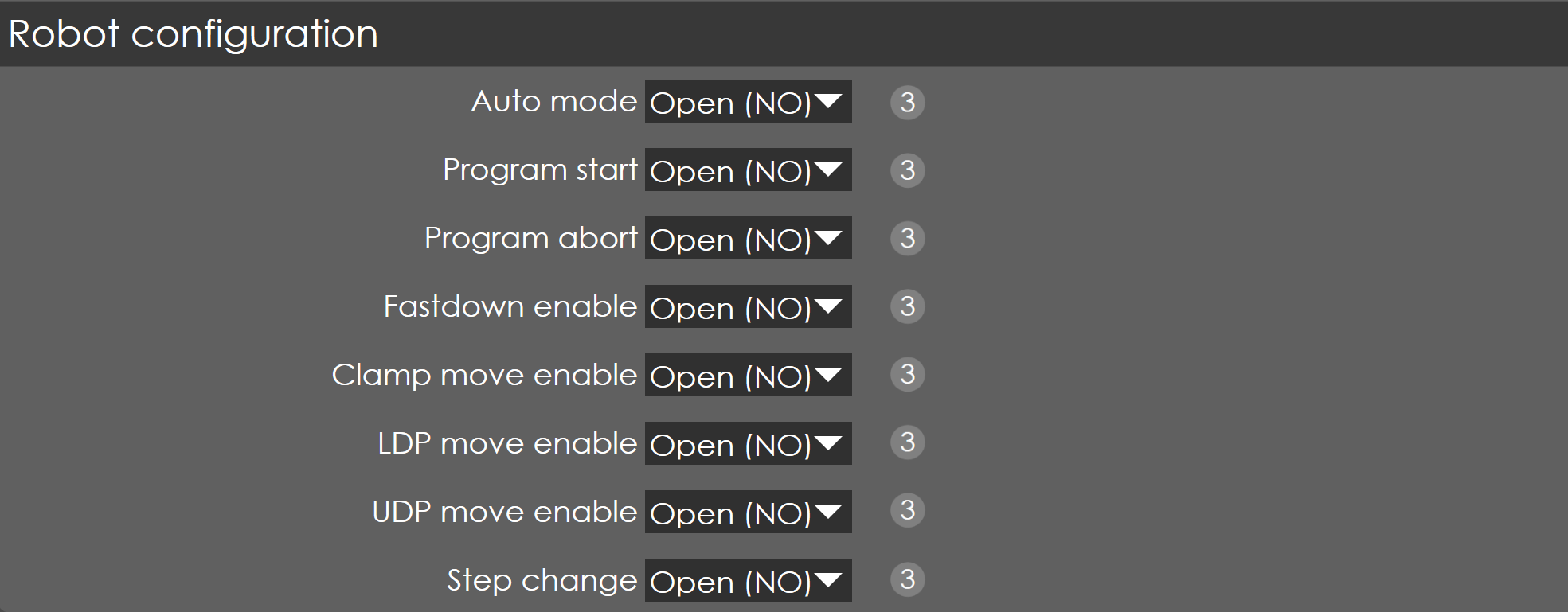
| When the robot interface is enabled in General parameters → PLC options, the following robot input configurations become available. |
Auto mode
Range |
Open (NO) , Closed (NC) |
Default |
Open (NO) |
Units |
|
Access |
Service |
Function
This parameter defines the type of contact of auto mode I/P connected to the digital input of PLC.
Description
This signal is from the robot controller to RA SmartCore(NC).
Signal Description: Robot in Auto mode - Switch Bend guard to Mute.
When the 'Robot Option' is selected in the PLC, the input 'Robot Auto Mode' will activate the robot functions. If Laser Safe is connected, then the Bend Guard mute is also activated.
Program start
Range |
Open (NO) , Closed (NC) |
Default |
Open (NO) |
Units |
|
Access |
Service |
Function
This parameter defines the type of contact of auto mode I/P connected to the digital input of PLC.
Description
This signal is from the robot controller to RA SmartCore(NC).
Signal Description: Robot program is started - Start button in Panel.
The 'NC Start' output signal from the NC will be ON only if 'Program Start' input from Robot controller is ON.
Program start
Range |
Open (NO) , Closed (NC) |
Default |
Open (NO) |
Units |
|
Access |
Service |
Function
This parameter defines the type of contact of program abort I/P connected to the digital input of PLC.
Description
This signal is from the robot controller to RA SmartCore(NC).
Signal Description: Robot program is aborted - Stop button in Panel.
During any bend step, if the Program Abort signal from Robot controller is set High, then all the moving axes (including RAM) are quick stopped and the 'Press OK' & 'NC Start' signals from NC is deactivated, and program aborted in Robot message is displayed.
Fastdown enable
Range |
Open (NO) , Closed (NC) |
Default |
Open (NO) |
Units |
|
Access |
Service |
Function
This parameter defines the type of contact of fastdown enable I/P connected to the digital input of PLC.
Description
This signal is from the robot controller to RA SmartCore.
Signal Description: To enable the RAM Fast Down movement in SmartCore.
When the 'Fast Down Enable' signal is ON, the RAM moves to mute point and the 'Below Mute point' signal is set to High, now the NC waits for 'Clamp move enable' signal from robot controller to move to the pinch point.
Clamp move enable
Range |
Open (NO) , Closed (NC) |
Default |
Open (NO) |
Units |
|
Access |
Service |
Function
This parameter defines the type of contact of clamp move enable I/P connected to the digital input of PLC.
Description
This signal is from the robot controller to RA SmartCore(NC).
Signal Description: To enable the RAM movement to Clamping point in SmartCore.
After RAM moves to mute point the 'Below Mute point' signal is set to High, the NC waits for the 'Clamp Move Enable' signal from the robot controller to move to the pinch point. After reaching pinch point, the “Clamping point” signal is set high.
LDP move enable
Range |
Open (NO) , Closed (NC) |
Default |
Open (NO) |
Units |
|
Access |
Service |
Function
This parameter defines the type of contact of LDP move enable I/P connected to the digital input of PLC.
Description
This signal is from the robot controller to RA Smartcore(NC).
Signal Description: To enable the RAM movement to LDP in SmartCore.
When the 'LDP Move Enable' signal is ON, the RAM moves to LDP point and the 'LDP reached' signal is set to High, now the machine will go to dwell state and wait here until the completion of dwell time set in the current bend cycle.
UDP move enable
Range |
Open (NO) , Closed (NC) |
Default |
Open (NO) |
Units |
|
Access |
Service |
Function
This parameter defines the type of contact of UDP move enable I/P connected to the digital input of PLC.
Description
This signal is from the robot controller to RA Smartcore(NC).
Signal Description: To enable the RAM movement to UDP in SmartCore.
When the dwell time is completed, the RAM is moved up to the decompression point and the 'EoD_Point' signal is set to High, now the machine will be waiting for the 'UDP Move Enable' signal from the robot controller to move to UDP point.
Step change
Range |
Open (NO) , Closed (NC) |
Default |
Open (NO) |
Units |
|
Access |
Service |
Function
This parameter defines the type of contact of step change enable I/P connected to the digital input of PLC.
Description
This signal is from the robot controller to RA Smartcore.
Signal Description: To enable the next step in the bend program.
After reaching UDP, the machine will be waiting for 'Step change' signal from the Robot controller to initiate the backgauge movements for next bend cycle.