
Maintenance
These parameters show the actual usage of the machine. Also, it is possible to reset the actual value of display to 0.
Maintenance
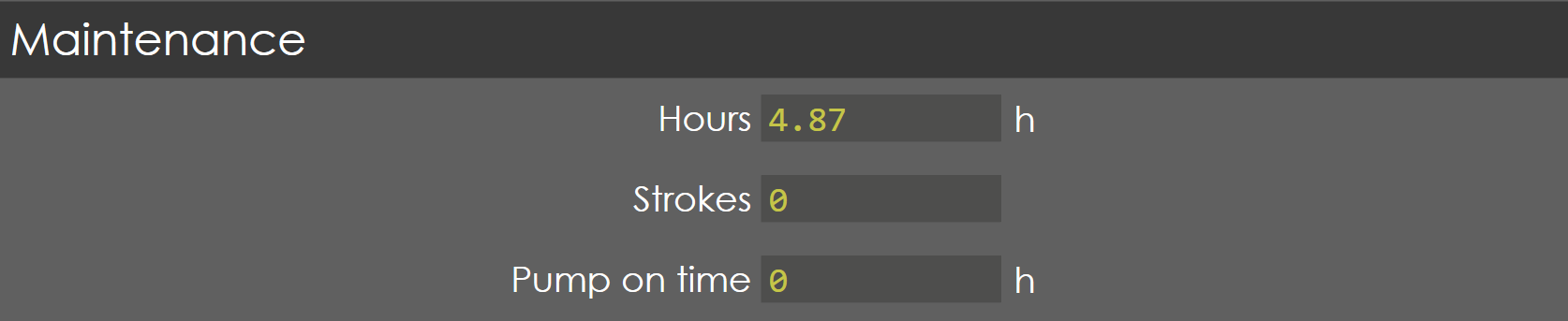
Hours
Range |
1-100000 |
Default |
0 |
Units |
Hours |
Access |
Administrator |
Function
This parameter shows the total running hours of the machine.
Description
NA
Strokes
Range |
0-999999 |
Default |
0 |
Units |
|
Access |
Administrator |
Function
This parameter shows the number of strokes of Y-axis (Bend cycle of ram).
Description
NA
Pump ON time
Range |
1-100000 |
Default |
0 |
Units |
Hours |
Access |
Administrator |
Function
This parameter shows the actual running hours of pump.
Description
NA
Production
![][General Parameters - Maintenance - Production](img/production.png)
Endurance mode
Range |
ON/OFF |
Default |
OFF |
Units |
|
Access |
Administrator |
Function
This parameter enables/disables the endurance mode for testing of the machine.
Description
When this parameter is enabled and the foot pedal close is pressed, the complete bending cycle runs continuously until the foot pedal is released. This mode is useful for testing the machine in floor line.
Battery settings

Auto shut down on battery power
Range |
Checked / Unchecked |
Default |
Unchecked |
Units |
|
Access |
Administrator |
Function
This parameter enables/disables auto shut down when in battery mode.
Description
Only if this parameter is checked, time-out period before shutdown parameter appears.
Additional Settings in Maintenance
| Editing/Accessing these settings require Service level access. |
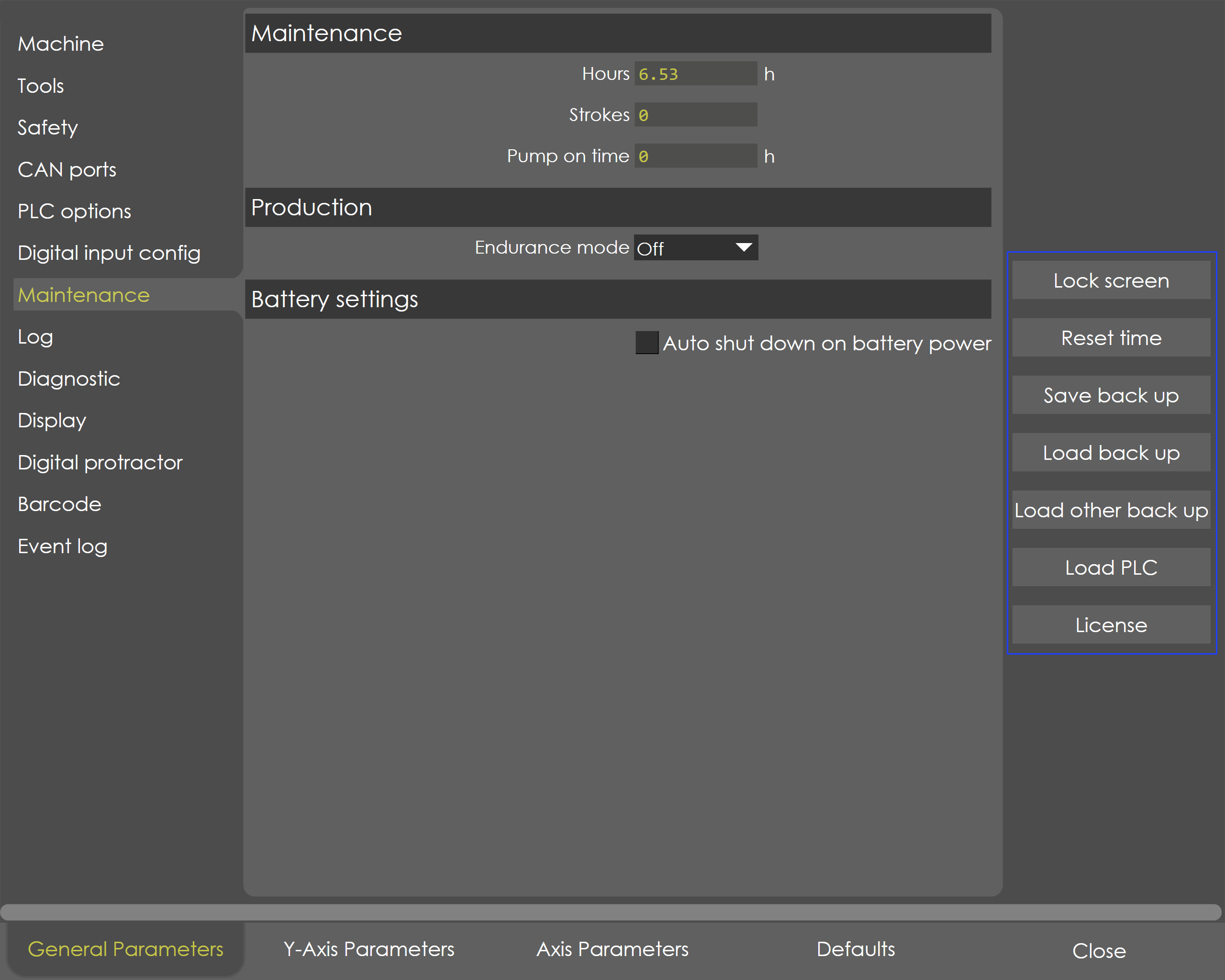
Additional settings are available on the right side of Maintenance page as shown below:
-
Lock screen:
-
Reset time: Used to reset hours, strokes and Pump on time
-
Save backup: Used to save backup data of the machine as a .dat file.
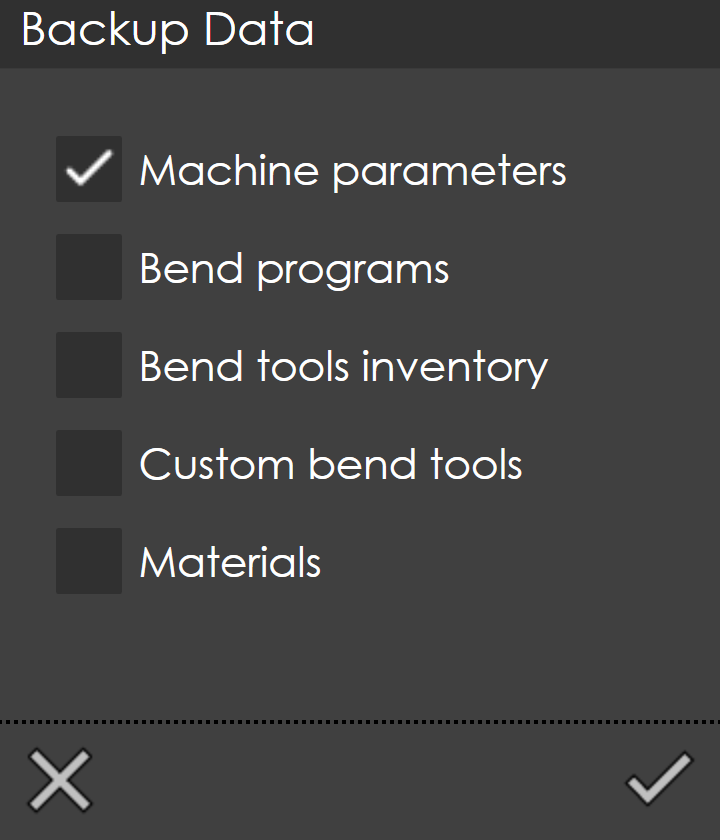
Select the required data checkboxes to be backed up and click on the mark to save the backup file.
-
Load backup: Used to restore a previously saved backup file from this machine.
-
Load other backup: Used to load backup file from a different machine
-
Load PLC: Loads the PLC program (bending.app file)
-
License: Used to view license information - Serial key, Name Licensed to, features included.
License Information
| To view license information, the access level must be Service. |
When License is clicked, the license dialog will appear as follows:
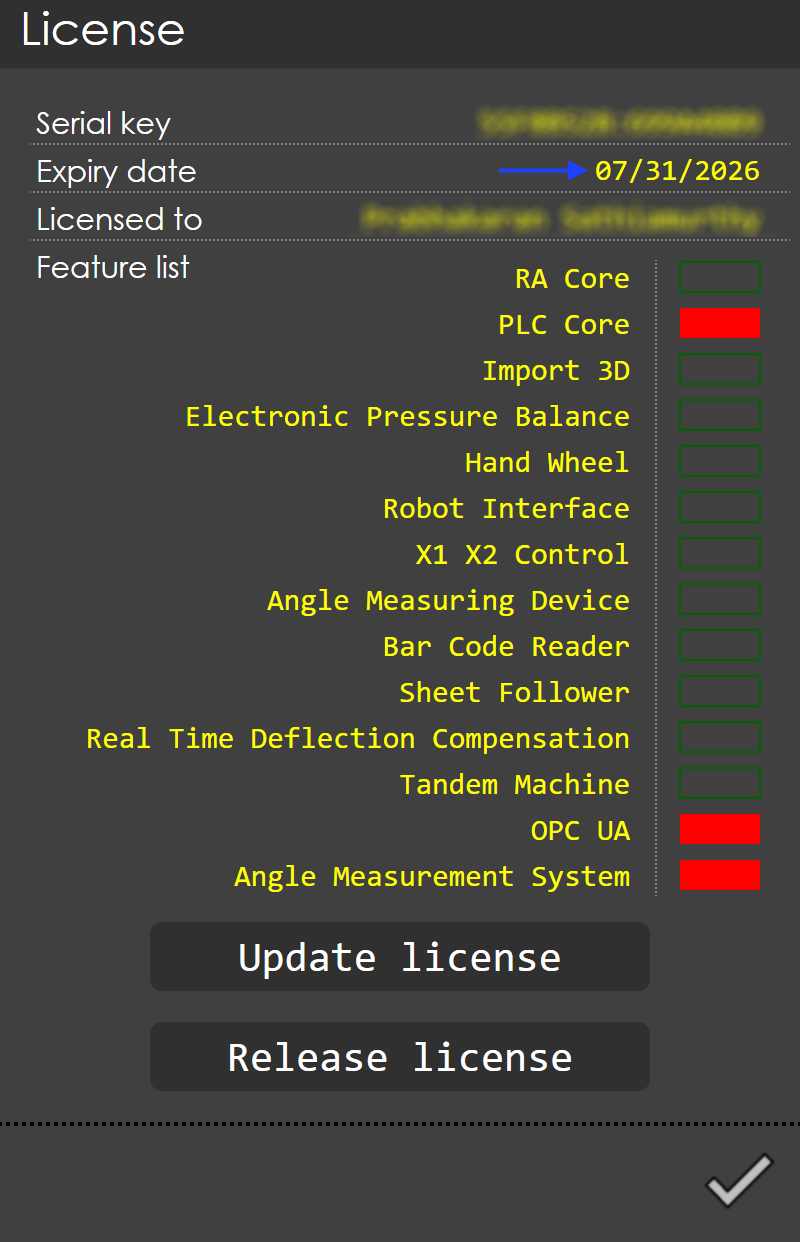
The license dialog shows the serial key, name licensed to, expiry date and features included in the license.
Also, the user can update or release the license.
The feature list highlighted in red are not included in the license.
| Only OEM can change expiry date. |